Wayward Outpost Guides & Walkthroughs
Every Wayward Outpost tutorial in one place—from spawn to Day 40.
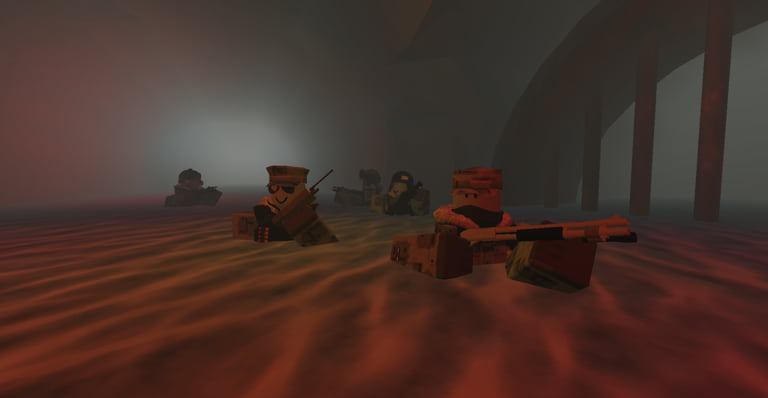
Welcome to the Wayward Outpost Guides Hub. This page is the map of every how-to on the wiki: first-hour survival on Eleske island, PC controls, logistics and supply chains, APC recovery, Hellmouth Hive clears, weapon spawn routes, and the Day 40 reputation unlocks. Wayward Outpost is a Roblox military RP zombie logistics PvE shooter by Aerisk and the Wayward Outpost Community. You fight as Eleskan National Guard on a cold 1980s Greyt Republic front where Outpost Alpha, Bravo, Abley Harbour, APS, Stafford Airfield, Irueno City, the Hive/Hellmouth, and GRS Gainsboro all matter. Use this hub to jump straight to the guide that matches your search intent instead of bouncing between unrelated Roblox military games.
New players should open Getting Started first. That guide covers spawning at Alpha, learning interact and combat keys, finding an Engineer for repairs, helping retake Bravo, sorting materials versus armaments, and reading the day counter that usually begins around Day 28. Pair it with Controls so gas mask (N), map/day (M), flashlight (F), bayonet (V), and vehicle lights become muscle memory before your first night push.
Core beginner path
- Getting Started — Featured first-hour checklist with an embedded walkthrough video. Ideal if you just joined a 75-player server and need a plan.
- Controls — Full PC binding table plus vehicle tips (honk, headlights) and CBRN-ready gas mask habits.
- Logistics — Supply trucks, convoys, heli drops, Radioman calls, bridges, and APS power. This is the heart of Wayward Outpost’s identity as a logistics shooter, not a pure deathmatch.
Once those three click, branch into gear and endgame prep. There are no promo codes—see the Codes Hub for the honest “none active” statement and scam warnings—so progression comes from reputation, loot, and map control. Class choices and unlocks live on the Players Hub; meta rankings live on the Tier List Hub. After patches, skim Updates before you assume an old weapon route still works.
Featured mid and late guides
Vehicles and firepower
- How to Get the APC — Featured route for tires, battery, reinforcements, and the key near the Bravo wreck path. Expect to redo parts when you hop servers; comments and community notes stress that APC progress is often per-server.
- Weapon Locations — Featured map for M40 spots (Bravo HQ roof/cabinet, lighthouse, mountain), Striker-12 with IPD keycard Engineer work, M60 at the airfield, M249/USAS from the C-130, and CAR-15 for Delta players.
High-threat content
- Hellmouth Hive — Featured CBRN guide covering green mist, squad size, Support and Radioman ammo sustain, rope and materials, and Callouses. Do not enter without masks and a resupply plan.
- Day 40 — What changes when the day counter hits 40: Marine (~1k reputation) and Crashed Pilot (~10k reputation) unlock windows, plus Ulcers, Incisors, and Callouses near Alpha and APS. Includes a preparation checklist and links into the players roster for Marine planning.
Crafting, mist, and placeables
- C-Cells & Requisition — Featured farm routes for C-Cells and Special Materials (Irueno PD, hospital keycard armory, construction, storage/garages) plus Bravo and Gainsboro Requisition crafts for CBRN, Motion Tracker, IFAK, and M72.
- CBRN Gear — Featured how-to for crafting and equipping CBRN protection and Motion Tracker, mask key N, and green mist habits at Hive and Airfield.
- Emplacements — Class-gated AT-20M, M56 E-MG, M224 Mortar, UA-571C Sentry, Marine armature, and Cleaner incinerator notes for players searching “how to unlock sentry.”
How to use these guides together
Treat the wiki like a fireteam briefing. Start with Getting Started so you understand Alpha as a home base and Bravo as an early retake objective. Use Logistics whenever the server is starving for materials or armaments—Radiomen and Engineers multiply squad value more than lone-wolf rifling. When you need a mobile fighting platform, follow the APC guide instead of wandering randomly for “a tank.” Before Hellmouth, read the Hive page and confirm someone brought CBRN gear; green mist punishes unprepared Infantry hard. When Day 40 approaches, shift some playtime toward reputation-safe objectives so Marine unlocks on time, then decide whether Crashed Pilot is a realistic long-term goal for your hours played.
Cross-link aggressively while you play. Weapon Locations should sit open beside your map key (M). Controls should be skimmed once, then revisited only when you unlock vehicles or CBRN tools. If a teammate asks for codes, send them to Codes so they stop installing fake redeem apps. If they ask which class to main, send Players and Tier List. Script curiosity belongs on Scripts with a clear understanding of Roblox rules—guides on this hub never require exploits.
Locations you will see named often
Guides refer to the same Eleske geography repeatedly. Outpost Alpha is the common spawn and repair hub. Bravo is the early contested outpost you help retake. Abley Harbour and Stafford Airfield matter for logistics and heavy weapons. APS is a power and threat node that becomes nastier around Day 40. Irueno City is a denser urban fight. Hive/Hellmouth is the CBRN endgame pocket. GRS Gainsboro appears in naval or distant staging talk depending on the session. Learning these names makes every other page on this hub easier to parse mid-raid.
Content standards on this hub
Each child guide aims for practical depth: real controls, real spawn notes, and FAQs that match search queries like “how to get APC Wayward Outpost” or “Day 40 Marine unlock.” Videos are capped at one per page and placed mid-article when present. Internal links use trailing slashes and stay locale-agnostic in the English source. We do not invent YouTube IDs, promo codes, or weapon rooms that do not exist. If a patch moves a spawn, check Updates and then the specific guide.
Suggested reading order by goal
- Survive the first hour: Getting Started → Controls → Logistics.
- Field a squad vehicle: Logistics → How to Get the APC → Weapon Locations.
- Clear Hellmouth: Controls (gas mask) → Logistics (ammo/materials) → Hellmouth Hive → Players (CBRN/Support/Radioman).
- Hit Day 40 ready: Getting Started (day system) → Day 40 → Players (Marine) → Tier List.
- Craft raid kits: C-Cells & Requisition → CBRN Gear → Hellmouth Hive.
- Lock down a base: Emplacements → Logistics → Players (Engineer / AT / AR / Grenadier).
- Stop chasing scams: Codes → Updates → back to Guides.
Keeping the hub fresh
When you finish a session, note what surprised you—bridge timers, heli drop etiquette, Callous spawn pressure near Alpha—and compare it with these pages. Community knowledge moves quickly on a live Roblox title with millions of visits, but the fundamentals stay stable: keep Alpha supplied, respect CBRN zones, unlock classes through reputation, and ignore fake code lists. Return to this Guides Hub whenever you need a clean index, then dive into the child page that matches the job your fireteam assigned you tonight.
Frequently Asked Questions
Quick answers for Eleske operations.
Which Wayward Outpost guide should I read first?
Start with Getting Started for the first-hour loop, then Controls and Logistics. Those three cover spawn, keybinds, and the supply game that defines this experience.
Do any guides require promo codes?
No. Wayward Outpost has no active promo codes. Progression is reputation, loot, and objectives. See the Codes Hub if you need the scam warning.
Where are the APC and Hellmouth walkthroughs?
How to Get the APC and Hellmouth Hive are featured child guides linked from this hub. Open them after you understand basic logistics and CBRN gear needs.
Is Day 40 covered here?
Yes. The Day 40 guide explains Marine and Crashed Pilot unlocks, special infected near Alpha/APS, and a prep checklist. Pair it with the Players Hub for class details.
How often are these guides updated?
After meaningful patches we revise spawn notes, unlock thresholds, and linked hubs. Check Updates for patch context, then re-open the specific guide you rely on.